The requests board
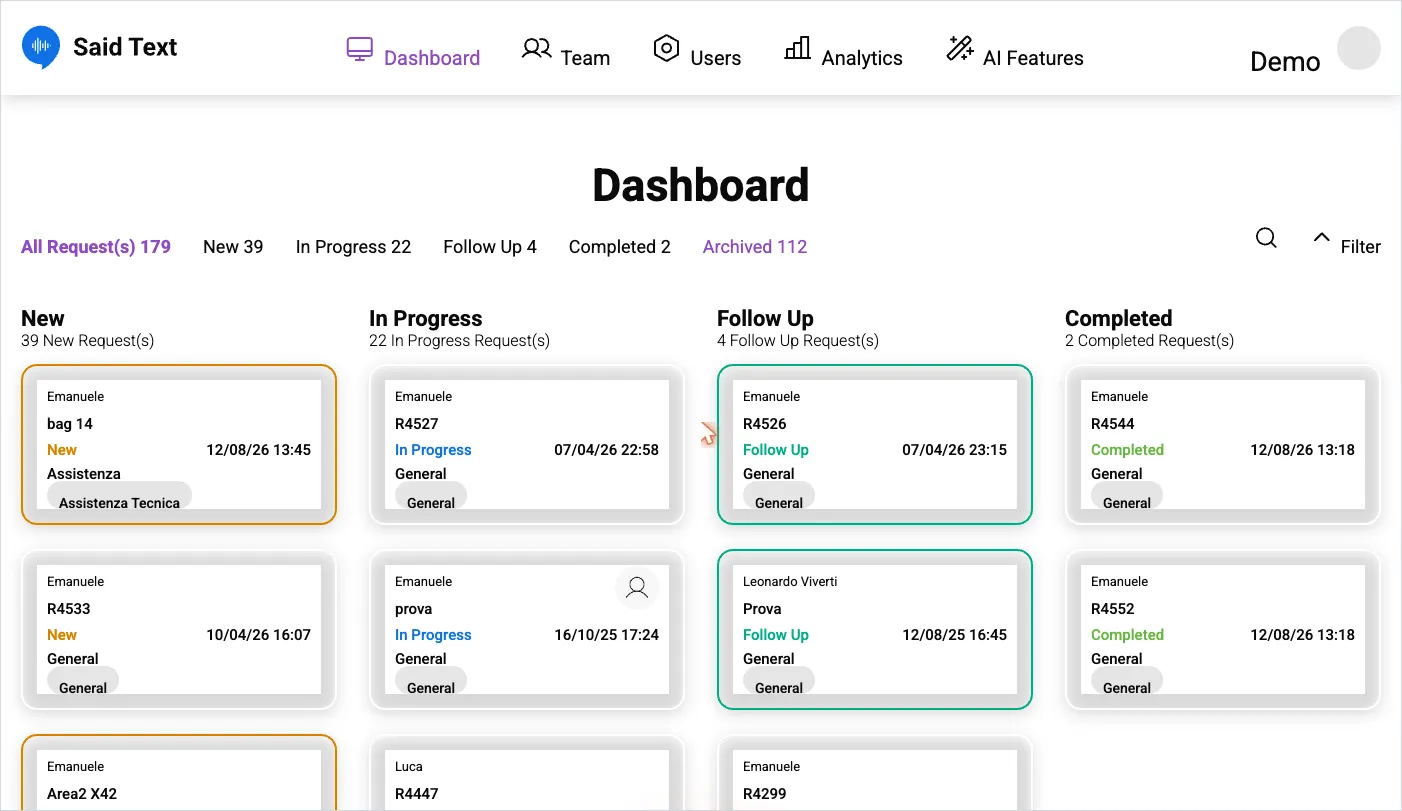
The board is the main working screen. Requests sit in columns by status: New, In Progress, Follow Up, Completed.
The counters
Section titled “The counters”Above the columns: All Request(s) with the total, then a count per status, including Archived. Clicking a counter filters the board to that status — useful when the board is long and you only want what’s new.
Reading a card
Section titled “Reading a card”Each card shows the requester’s name, the request code (e.g. R4527) or its title, the status, the date and time, the department, and any labels. A card with a person icon is already assigned to someone.
Finding a request
Section titled “Finding a request”- Search — by code or content.
- Filter — by requesting user.
If a request you expect isn’t there, it is usually archived or in a department you can’t see. See can’t find a request.
SaidText S.r.l. - VAT IT03035200348